Paying online is routine for most UK adults heading into 2027. A payment made for entertainment still deserves a short pause before you confirm it. UK online casino payment security starts with digital financial literacy, which simply means knowing how online payments work, what information you share and which controls help you stay in charge of your own money.
For UK adults who choose to use regulated online casino sites, that knowledge is part of sensible consumer protection. You do not need to become a payments expert. You need a short set of questions to work through before you type any card details into a site.
Start by asking whether the operator holds a proper licence and whether the checkout is secure. Then ask whether you can see and control what you spend, and what happens if you need support at any point. The sections below set out a plain way to check payment security and spending controls on a casino site in 2027, without getting lost in technical jargon.
How Strong Customer Authentication (SCA) protects UK casino payments
Every safe deposit starts at the checkout. The way a payment page behaves tells you a lot about the operator behind it, long before any money moves.
What a secure payment journey should feel like
A secure payment journey should never feel rushed, confusing or secretive. At each step you should be able to tell who is taking the payment. You should see the exact amount you are authorising. Where your bank requires it, you should pass through a recognised authentication step before the money leaves your account.
Each of those signals tells you something different. The name of the payee shows where your money is going. The amount on screen shows what you are agreeing to pay. The authentication step shows that your bank is checking the request for you. When one of them is missing or hard to find, stop and look again before you confirm anything.
How SCA checks work for UK payments in 2027
In the UK, many online payments use Strong Customer Authentication, often shortened to SCA. In simple terms, SCA adds an extra check to show that it really is you making the payment.
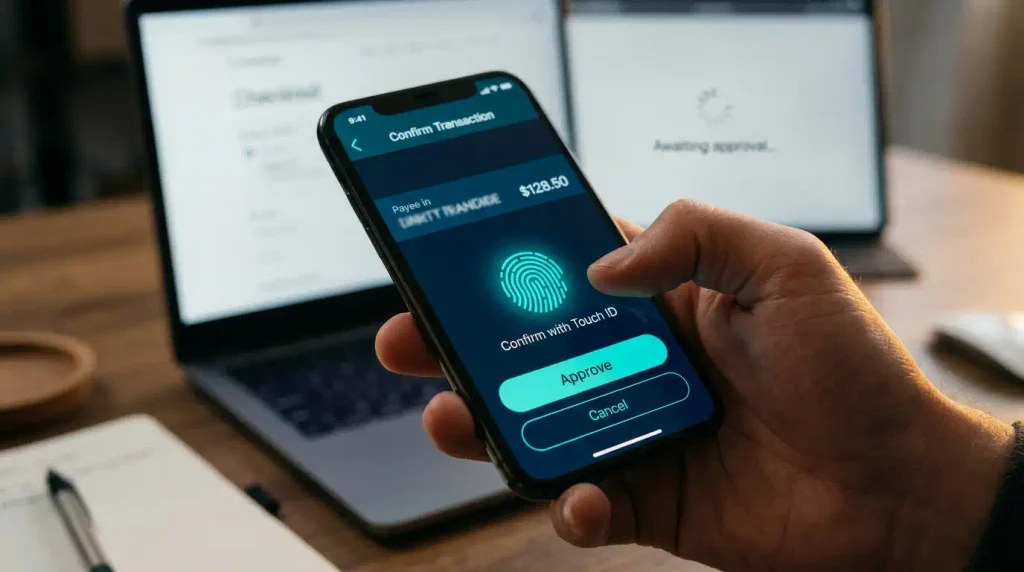
That check can take a few forms. You may approve the payment inside your banking app. You may enter a one time code. You may use the biometric security built into your device. The form depends on your bank and on the device you are paying from.
The aim of SCA is straightforward. It makes it harder for somebody else to use your payment details without your permission. A card number on its own is far less useful to anyone else when your bank also asks for an approval that only you can give.
Secure checkout signs to check before you pay
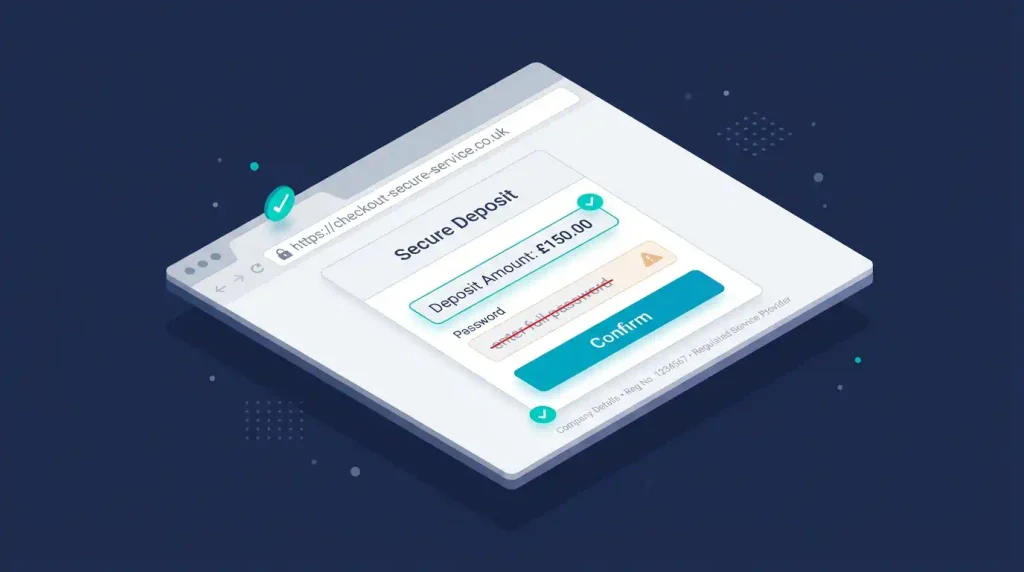
A trustworthy checkout will usually make the basics easy to spot. Run through these signs before you approve a deposit on any casino site:
- The web address begins with https:// and your browser shows a padlock icon.
- The name of the site and its legal company details are available and are not buried behind vague wording.
- The deposit amount is shown in full before you confirm it.
- The usual verification screen or app approval from your bank appears where it is relevant.
- There are no unexpected requests for passwords, full security codes or remote access to your device.
What the padlock icon proves
A padlock alone is no proof that a site is trustworthy. The padlock tells you that the connection between your browser and the site is encrypted. It says nothing about the policies of the site or about the operator running it. Treat the padlock as one useful signal among several, and keep working through the rest of the list.
The other signs carry their own weight. Legal company details give you a name you can look up later. A deposit amount shown in full lets you confirm the exact sum you meant to pay. An approval screen from your bank shows that SCA is in place for that payment. A request for a full password or remote access to your device is a warning sign on any payment page, whatever the site looks like.
Keep your own device on your side
Site security and personal security go together. A secure checkout on the site of an operator still depends on the phone, tablet or laptop you use to reach it.
Simple device habits that protect your payments
Use a screen lock on every device you pay from. Keep your browser and your operating system updated. Avoid making payments over public WiFi where possible. If you do use a shared device, never save card details on it and never leave yourself logged in when you step away.
Each of these habits closes a gap that a payment page cannot close for you. An operator can encrypt its checkout, but it has no control over a phone with no screen lock left on a table or an old browser that has missed its updates.
How to spot phishing before you pay
Phishing is another common problem. A message can look convincing while it directs you to a copied website or asks you to “verify” your payment details. The copied page can look very close to the real one.
Avoid following a link in an unexpected text or email. Type the address of the operator into your browser yourself, or open the site from a saved bookmark. That way you reach the real site each time you pay.
Your bank will not normally ask you to share a full password or security code through an unsolicited message. If something seems off, stop there. Contact the organisation through the details on its official website and check the message with them directly.
For a plain language overview of multi factor payment checks, see the explanation of Strong Customer Authentication from the FCA.
Choosing a payment method for UK online casino deposits
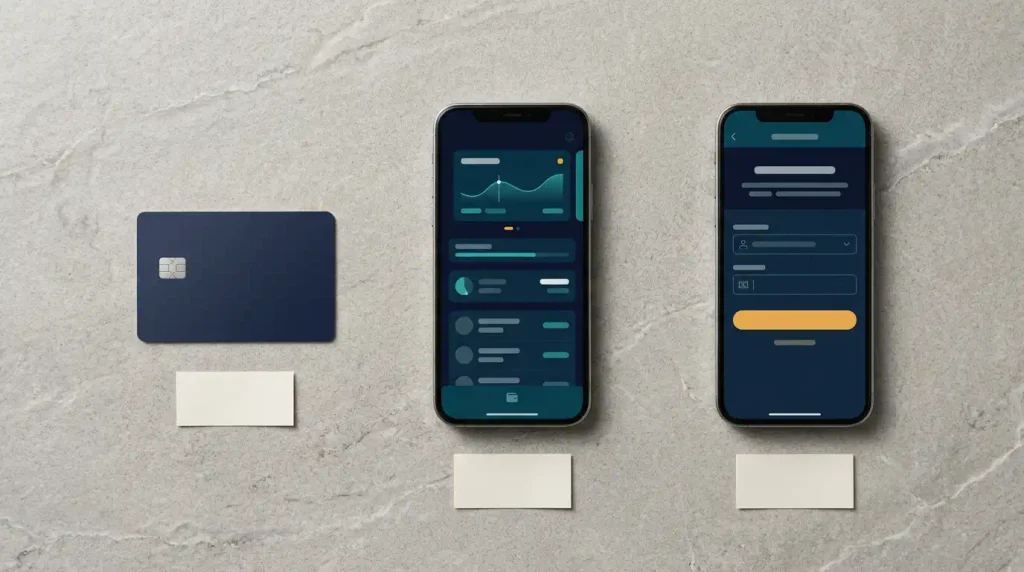
No single payment method suits every adult or every situation. The sensible choice depends on how you prefer to track your spending, how much information you are comfortable sharing and which verification process you find clearest.
What matters is that you know the practical differences between the methods before you select one. The three sections below cover debit cards, e wallets and Open Banking payments, with the points to check for each.
Debit cards for gambling
Debit cards are familiar to most people. Transactions on a debit card tend to show directly in your bank account. That can make record keeping straightforward, since casino deposits appear next to your other payments on the same statement.
Before you use a debit card with an operator, check these points:
- Whether your bank provides instant payment notifications.
- How the merchant name will appear on your statement.
- Whether you can set card controls or transaction alerts in your banking app.
- What the operator says about withdrawals and identity checks.
The merchant name on your statement may not match the name of the site you used. Knowing that name in advance lets you match each line on your statement to the right deposit. Instant notifications and card controls in your banking app give you a second view of your spending that sits outside the casino account.
The credit card ban in Great Britain
In Great Britain, licensed gambling businesses must not accept credit cards for gambling. The ban also covers payments made through e wallets that are funded by credit cards.
A debit card is different, but the same caution still applies. Never use money that you need for household bills, travel, food or other essentials. A debit card draws on money you already have, so each deposit comes straight out of the same account that pays for those costs.
E wallet payments
An e wallet can add a layer between your main bank account and a merchant. Some people prefer this, since it can make payment activity easier to keep separate. Others find that another account means another set of statements and settings to manage.
Before you choose an e wallet, check how it is funded and whether it has its own authentication process. Check whether the operator places any restrictions on deposits or withdrawals made with that method. Look at the fees as well, along with exchange charges where they are relevant and the transaction history tools inside the e wallet.
Privacy with an e wallet needs a realistic view. An e wallet may limit which details are passed to the merchant. It does not make a payment anonymous. Identity checks and regulatory requirements may still apply when you use one.
Open Banking payments
Open Banking payments generally let you authorise a transfer through your own bank or banking app. You do not type card details into the checkout of the merchant, and some people find that reassuring.
You still need to check exactly what you are approving. The authorisation screen from your bank should identify the recipient and the amount. Only go ahead if both of them match what you expected to see.
Open Banking can offer a clear route through the security your bank already has in place. It may not suit everyone. Think about how you will monitor transfers and whether you can set alerts on them. Look at the withdrawal process of the site too. Deposits and withdrawals do not always use identical methods or timescales, so the route your money takes in may differ from the route it takes out.
Spending controls work best when you set them first
The strongest spending control is the one you set before you start. A decision is much easier to keep when it comes from a calm plan made in advance. A reaction in the moment is far harder to hold to.
Treat gambling as paid entertainment
If you choose to take part in gambling activity, treat it as paid entertainment only. Set a separate entertainment budget in advance. That budget should never touch money you need for essential commitments.
Gambling should never become a substitute for managing financial difficulties or a way of meeting expenses. A budget fixed in advance gives you a single number to check your spending against, and it keeps the decision about how much to spend away from the moment of play.
Spending controls and deposit limits to set up
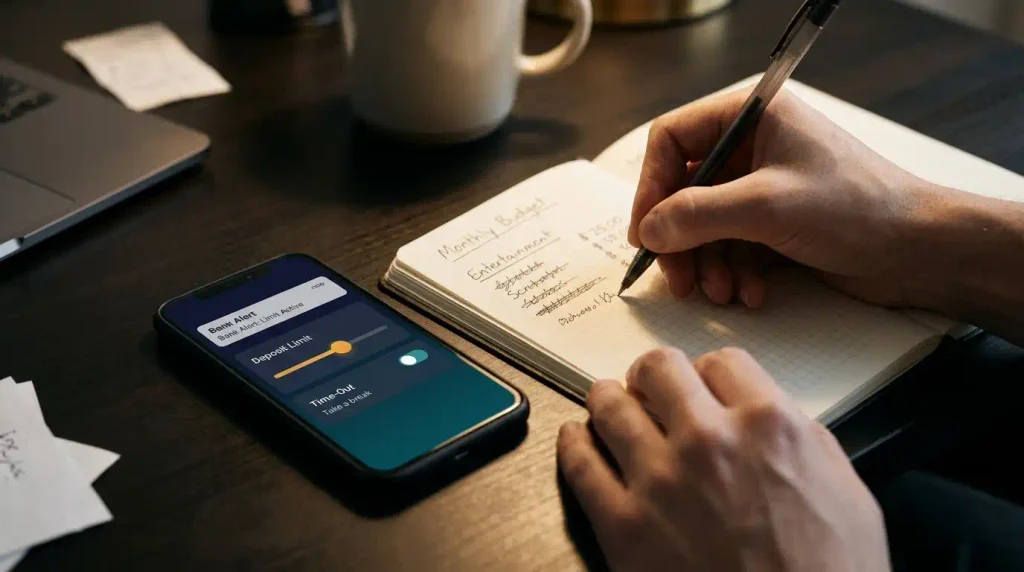
A few small actions can make a real difference to how well you can see your spending:
- Choose a fixed entertainment amount.
- Turn on alerts from your bank.
- Use deposit limits on the site.
- Review your payment records.
- Avoid stored payment details if that suits your habits.
- Use time out or self exclusion tools when you need them.
These controls sit in two places. Deposit limits, time outs and self exclusion are tools on the site of the operator. Bank alerts and your payment records sit with your bank. Using controls in both places gives you two separate views of the same spending, and each one can flag a problem the other might miss.
A rule of thumb for your payment history
Your payment history should never be a mystery. For every transaction you should be able to identify the date, the amount and the merchant quickly. If you cannot do that for a payment, take the time to investigate it.
A regular look at your statement makes this easy to keep up. The sooner you spot a payment you do not recognise, the sooner you can raise it with your bank or the operator.
Your UK online casino payment security checklist
Work through this checklist before you open an account or make a deposit. It takes only a few minutes and gives you a clearer picture of how an operator handles its responsibilities.
Check the UK Gambling Commission licence
For online gambling offered to consumers in Great Britain, find the licence information of the operator. Verify it yourself through the public register of the UK Gambling Commission. The legal company name on the site should match the name you find on the register.
A licence logo in the footer of a site is only a starting point. Check the details on the register yourself and do not stop at the logo. A mismatch between the company name on the site and the name on the register is a reason to stop before you pay.
Read the privacy notice
A regulated site should have a privacy notice that explains:
- What personal data is collected.
- Why it is collected.
- Who it may be shared with.
- How long it is retained.
- How you can contact the organisation about your data.
A privacy notice that leaves out any of these points tells you less than you need to know about where your data goes after you sign up.
Expect identity verification
Identity verification can feel like an inconvenience. It is a normal part of regulated services. The site should explain what documents or checks may be required and why it needs them.
Never send identification documents through an unverified email link. If an email asks for your documents, go to the site through your own bookmark and upload them there, or contact the operator through the details on its official website.
Casino withdrawal policy and payment terms
Payment pages should be clear about accepted methods, how deposits are handled and any relevant processing times. The casino withdrawal policy deserves equal attention. Read it before your first payment.
The withdrawal policy should give you clear answers on these points:
- How withdrawals are requested.
- Whether verification is needed before a withdrawal is processed.
- Whether there are stated processing stages or timescales.
- Whether the operator can return funds only to the original payment method.
- Where any fees or restrictions are explained.
If the wording is hard to find, or it leaves too much unanswered, regard that as useful information in itself.
Make sure help is easy to reach
A regulated site should provide visible customer support routes and a complaints procedure. Check whether there is an email address, a live support channel or a telephone option. Look for an explanation of how a complaint is handled and how it is escalated if the first answer does not resolve it.
Safer gambling tools and self exclusion (GAMSTOP)
Look for safer gambling tools on the site as well. These include deposit limits, time outs and self exclusion options.
Independent help is available through GamCare. GAMSTOP offers a free self exclusion scheme for participating online gambling businesses in Great Britain. These services are there for anyone who feels gambling is becoming difficult to manage, and for anyone who simply wants to step back.
Practise the checklist on an age gated site
If you are a UK adult who chooses to engage with online gambling, you can practise the checklist on an age gated destination. Doing so is no prompt to participate. Look for the payment information, the account controls and the responsible gambling tools. Then find the privacy notice, the identity verification explanation and the support pathways. Keep any spending inside the entertainment budget you set in advance.
Example resource: the online games destination of Bally Casino, which is also available as a separate casino site.
Taking the claims of any site at face value leaves gaps. The habit worth building is checking the detail, using the controls available and keeping your own money decisions clear, calm and firmly within your boundaries.
UK online casino payment security FAQs
What is Strong Customer Authentication (SCA) for casino payments?
SCA is an extra check used on many UK online payments. It shows that it really is you making the payment. You may approve the payment in your banking app, enter a one time code or use the biometric security on your device. The aim is to make it harder for somebody else to use your payment details without permission.
How can you tell if a casino checkout is secure?
A trustworthy checkout makes the basics easy to spot. The web address begins with https:// and the browser shows a padlock. The legal company details are easy to find, the deposit amount is shown in full before you confirm, and the usual approval screen from your bank appears. There are no requests for passwords, full security codes or remote access to your device.
Does a padlock mean a casino site is safe?
No. A padlock tells you that the connection to the site is encrypted. It says nothing about the policies of the site or the operator behind it. Treat it as one useful signal and check the licence, the company details and the terms as well.
Can you use a credit card at a UK online casino?
No. In Great Britain, licensed gambling businesses must not accept credit cards for gambling. The ban also covers e wallets funded by credit cards. Debit cards are allowed, but they should never draw on money you need for household bills, travel, food or other essentials.
Which payment method is best for online casino deposits?
No single payment method suits every adult. Debit cards keep deposits on your bank statement. E wallets add a layer between your bank account and the merchant. Open Banking payments let you approve a transfer in your own banking app without typing card details. Pick the one that fits how you track spending and which verification process you find clearest.
Is an e wallet payment anonymous?
No. An e wallet may limit which details are passed to the merchant. It does not make a payment anonymous, and identity checks and regulatory requirements may still apply.
How do you check a UK Gambling Commission licence?
Find the licence information of the operator on its site and verify it through the public register of the UK Gambling Commission. The legal company name on the site should match the name on the register. Do not stop at the licence logo in the footer.
What should a casino withdrawal policy explain?
The withdrawal policy should explain how withdrawals are requested and whether verification is needed first. It should list any stated processing stages or timescales, say whether funds go back only to the original payment method and show where fees or restrictions are explained. Read it before your first deposit.
What spending controls should you set before you play?
Choose a fixed entertainment amount and turn on alerts from your bank. Use deposit limits on the site and review your payment records. Avoid stored payment details if that suits your habits, and use time out or self exclusion tools when you need them.
Where can you get help if gambling feels hard to manage?
Independent help is available through GamCare. GAMSTOP offers a free self exclusion scheme for participating online gambling businesses in Great Britain. Deposit limits, time outs and self exclusion tools on a licensed site are also there for anyone who wants to step back.